13 June 2026 · Orbit Multiprint
Why Canva Designs Are Not Always Suitable for Professional Printing
Why Canva Designs Are Not Always Suitable for Professional Printing: A Complete Guide for Businesses
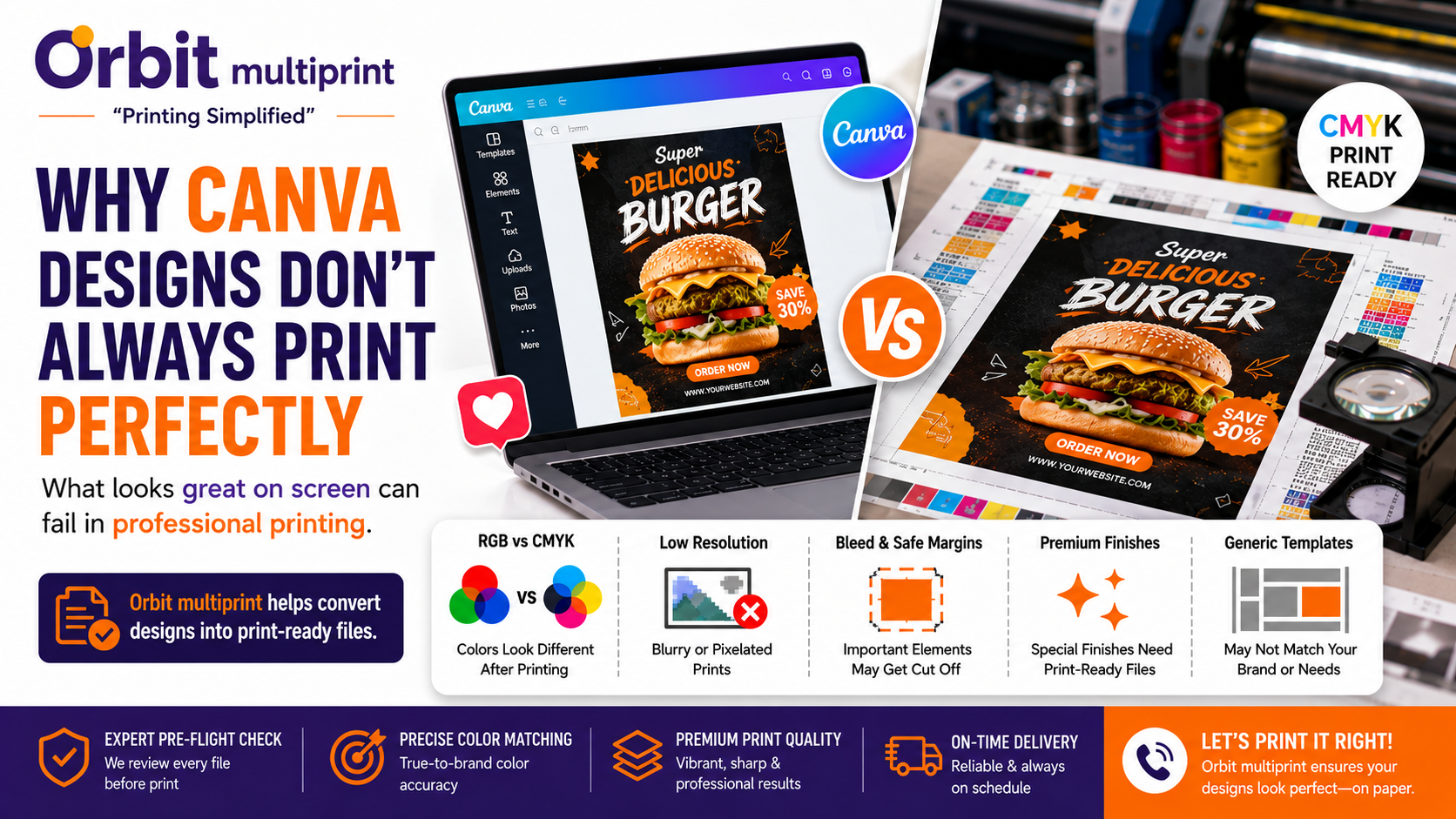
Canva has made graphic design easy for everyone. Businesses can quickly create business cards, brochures, flyers, social media posts, and marketing materials without hiring a professional designer.
However, many business owners assume that if a design looks perfect on screen, it will print perfectly as well. Unfortunately, professional printing works differently from digital displays, and this is where many Canva designs face challenges.
At Orbit Multiprint, we frequently receive Canva files that require adjustments before printing to ensure professional results.
---
1. RGB vs CMYK Color Difference
One of the biggest printing issues is color conversion.
Canva designs are typically created using RGB colors, while commercial printing uses CMYK color mode.
As a result:
Colors may appear different after printing Bright shades can look duller * Brand colors may not match expectations
This is one of the most common reasons customers are surprised by their printed output.
---
2. Low-Resolution Images
A design that looks sharp on a phone or laptop may not print clearly.
Professional printing requires high-resolution artwork, ideally 300 DPI.
Low-quality images can lead to:
Blurry prints Pixelation * Poor brand presentation
---
3. Missing Bleed and Safe Margins
Professional print files require bleed and safe margins.
Without proper bleed:
White edges may appear after cutting Backgrounds may not print edge-to-edge
Without safe margins:
* Important text or logos may be cut too close to the edge
These are common issues in Canva exports.
---
4. Limited Support for Premium Print Finishes
Modern printing often includes premium effects such as:
Spot UV UV Emboss Foil Stamping Metallic Effects * Specialty Finishes
While Canva is excellent for design creation, it cannot properly prepare files for many advanced printing techniques.
---
5. Generic Templates
Canva provides thousands of templates, but many businesses end up using similar layouts.
This can make marketing materials look less unique and reduce brand differentiation.
For businesses that want a premium and professional identity, custom-designed artwork often performs better.
---
When Canva Works Well
Canva is still a great tool for:
Social media graphics Draft concepts Basic flyers Marketing ideas * Internal documents
The key is ensuring the artwork is reviewed before commercial printing.
---
How to Prepare Canva Files for Printing
Before sending a Canva design for printing:
Export as PDF Print Use high-resolution images Enable bleed settings Check margins carefully Review colors before production Request a professional file check
---
How Orbit Multiprint Helps
At Orbit Multiprint, we help businesses convert Canva designs into print-ready files.
Our team reviews artwork for:
Resolution issues Bleed settings Margin problems Print quality concerns * Professional production requirements
This helps ensure your business cards, brochures, labels, packaging, and marketing materials are printed with the highest possible quality.
---
Conclusion
Canva is an excellent design platform, but professional printing requires more than a good-looking design. Resolution, color accuracy, bleed, margins, and print preparation all play a critical role in achieving high-quality results.
If you're planning to print business cards, brochures, labels, packaging, employee ID cards, or corporate stationery, Orbit Multiprint can help ensure your files are production-ready and printed to professional standards.
Need Help With Canva Files?
Contact Orbit Multiprint for expert print-ready file checks and premium-quality printing solutions delivered across India.